Test suite
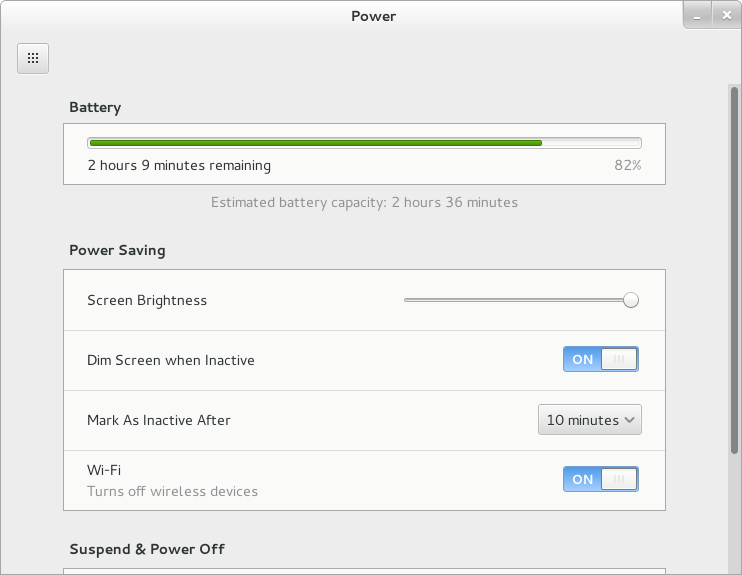
The first change is that we have a test suite (currently with 15 separate tests) to test interaction between gnome-settings-daemon's power management and various session and system components. This is thanks to Martin Pitt, and his work on python-dbusmock.
We'll try and add new tests as bug reports come in to avoid regressions, although some cases will remain untested because of limitations in our logging.

All clear
Screensaver and backlight interaction
With gnome-shell becoming the sole screensaver (after the removal of fallback mode, and the obsoletion of gnome-screensaver), we've been able to streamline the code handling the various screen backlight power levels.
Your screen will now turn off as soon as the screensaver kicks in, moving your mouse in the screensaver will turn it back on for 20 seconds before turning off again, and when to dim (if you've chosen so) is dependent on whether you're on battery or not, and the default idle time (eg. if your screen turns off after 5 minutes of inactivity, the screen will dim after 4). This makes the behaviour more consistent, and predictable, compared to the mish-mash of settings we had before, where some delays were available for change in the UI, and others only through GSettings or gnome-tweak-tool.
Those constants are separate from the code, and exported to the test suite so they are flexible and can be changed if the behaviour doesn't exactly match what users are expecting.
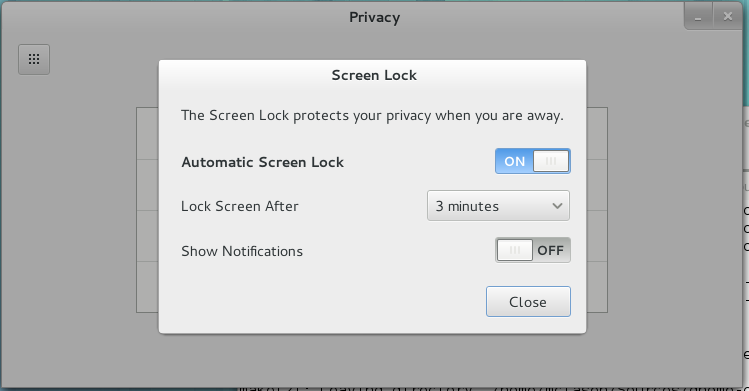
The other change relating to that, is that the screen shield will now always pop down when the screensaver kicks in (thanks to Giovanni for the gnome-shell work). This doesn't mean that you'll have to enter your password each time, but only after the "lock delay" if you've set one.
We've also added a number of nice touches, like the screen turning back on for a short period when you plug or unplug your laptop, made sure that your laptop screen gets turned off and your session locked when closing the lid and turn off the backlight for machines where suspend causes the backlight to come back on temporarily (as seen on MacBooks).
Very very idle
We've also added a long-requested feature: the ability to force logout after a period of idle. This is useful in kiosk and computer lab situations, and is only available through GSettings. As we've added support for this feature (warning prior to logging out, with the screen turning on for a couple of seconds when the warning shows up), we've realised that the infrastructure is the same for automatic suspend/hibernate situation. This means I expect to change the default "long idle" behaviour to suspending. This will still be changeable in the Power preferences. This should land after 3.7.5, and don't worry, we'll make this change very visible in the release notes :)

*I* am not suspending by default
Inhibit
But you don't want to suspend, you really don't.
GNOME supports the draft FreeDesktop "Idle inhibition" specification, as implemented by KDE, which hopefully means that more third-party applications should start behaving better when playing back films, in presentation mode, or for large overnight downloads. This should hopefully get out of draft status before the GNOME 3.8 release.
We also have a gnome-session-inhibit tool available in gnome-session for your scripting needs.
Colophon
All the changes mentioned should be available in GNOME 3.7.5, and I will be available to take complaints at FOSDEM this week-end.